

Zenmap
Explore Zenmap, the official Nmap Security Scanner GUI. Read our detailed review to see how this network mapping tool simplifies port scanning on Linux.
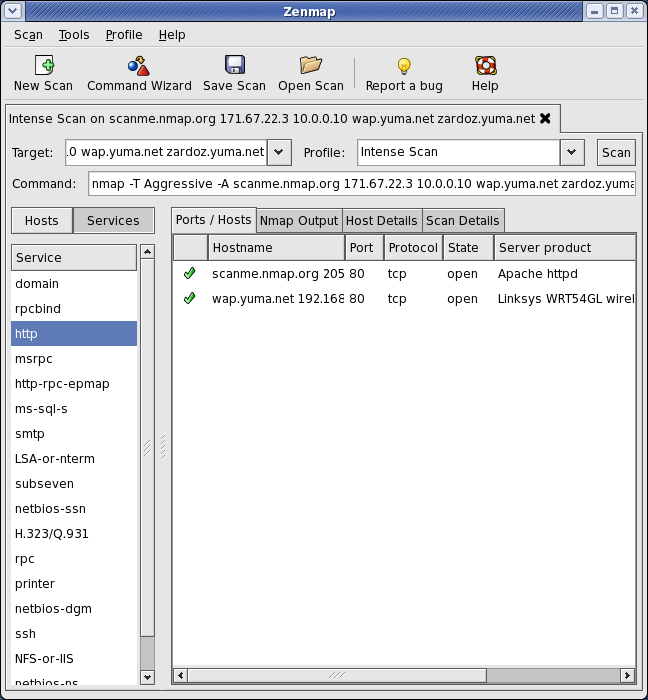
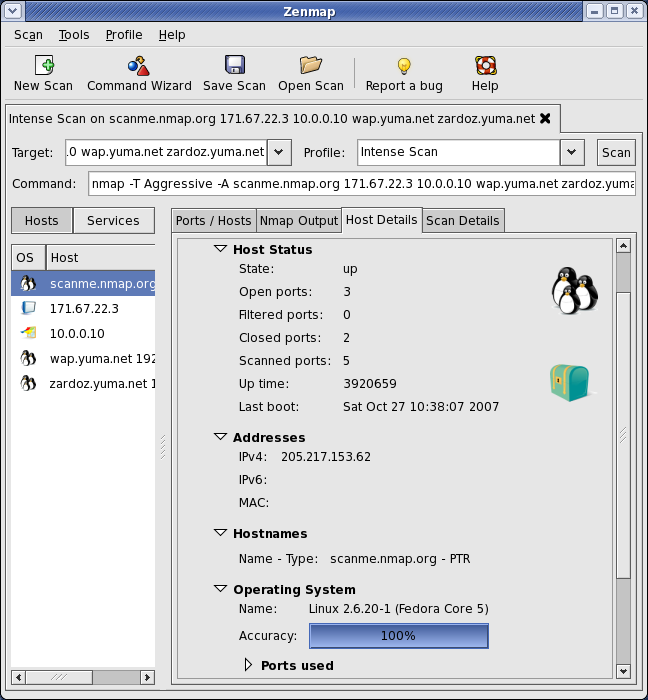
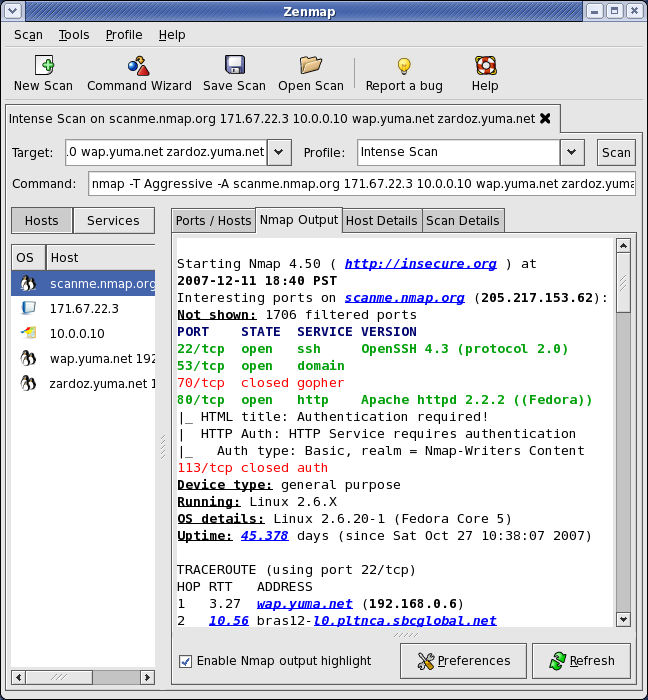
Zenmap network mapping GUI provides network administrators and security professionals with a highly visual, accessible interface for the industry-standard Nmap Security Scanner. Instead of forcing users to rely solely on command-line prompts, this application translates complex network scanning commands into an interactive, graphical experience. Whether you are scanning a home network or auditing enterprise infrastructure, it simplifies the process of discovering active hosts, open ports, and potential vulnerabilities.
Why Choose the Zenmap Network Mapping GUI?
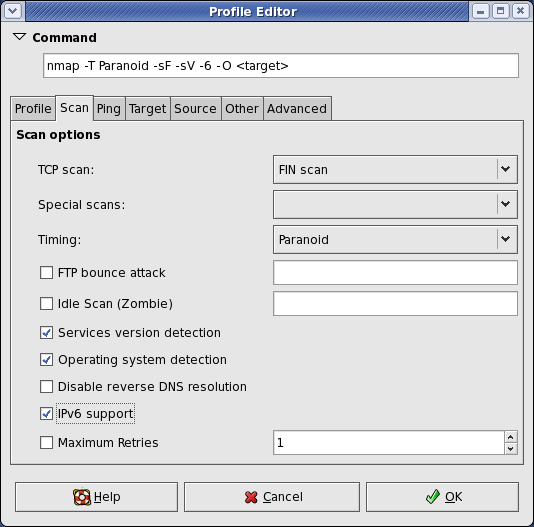
The primary advantage of using this software is its ability to bridge the gap between novice users and experienced security professionals. While Nmap is incredibly powerful, its command-line syntax can be daunting. This GUI offers an interactive command creator that updates in real-time as you select options, helping users learn the underlying syntax while executing scans immediately.
Key Features and Capabilities
- Customizable Scan Profiles: Save your most frequently used scan configurations as profiles. This allows you to run repetitive security audits with a single click rather than retyping complex parameters.
- Visual Scan Comparisons: The tool allows you to compare different scan results side-by-side. This is invaluable for tracking network changes over time or identifying newly opened ports.
- Searchable History Database: All recent scan results are stored in an organized, searchable database, making it easy to retrieve historical network topology data when troubleshooting.
- Cross-Platform Consistency: Developed by Gordon Lyon et al., the application maintains a consistent workflow across Linux, Windows, macOS, and BSD systems.
Understanding the Flatpak Security Sandbox
When running this specific packaging of the Zenmap network mapping GUI on Linux, users should be aware of a critical security design choice: it cannot be executed as the root user. Because Flatpak isolates applications for system safety, certain advanced scanning techniques that require raw socket access (which typically demand root privileges) are restricted.
For the vast majority of standard scanning scenarios, this package offers excellent feature parity and reliable performance. It represents a deliberate, secure trade-off, prioritizing sandbox safety without sacrificing the core utility of visual network mapping.
Is This Security Tool Right for You?
If you prefer an organized, visual representation of your network topography over raw terminal output, this utility is an essential addition to your toolkit. It streamlines diagnostic workflows and archives your scan history automatically.
To integrate this powerful utility into your security workflow, visit the official Flathub store page to learn more and get started.